Sell tickets and
run your door
directly from
Stripe Dashboard
Lomeo exists to empower the people bringing communities together. From neighborhood theaters and indie exhibitions to educational gatherings, nonprofit workshops, and small businesses around the world.
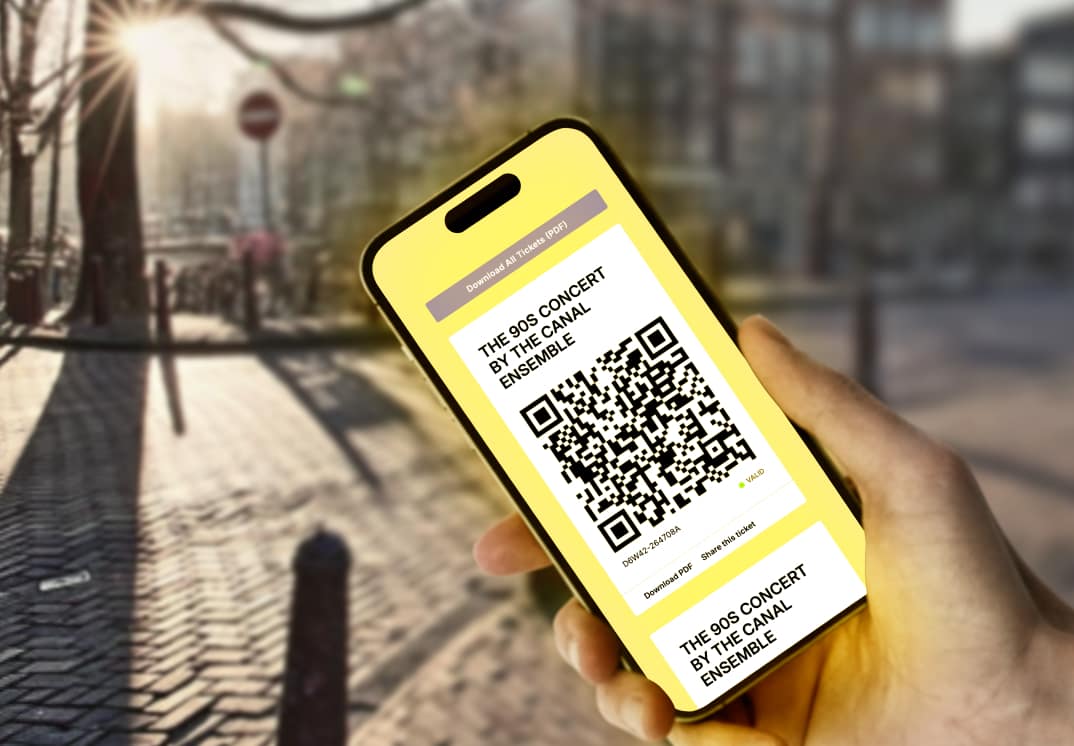
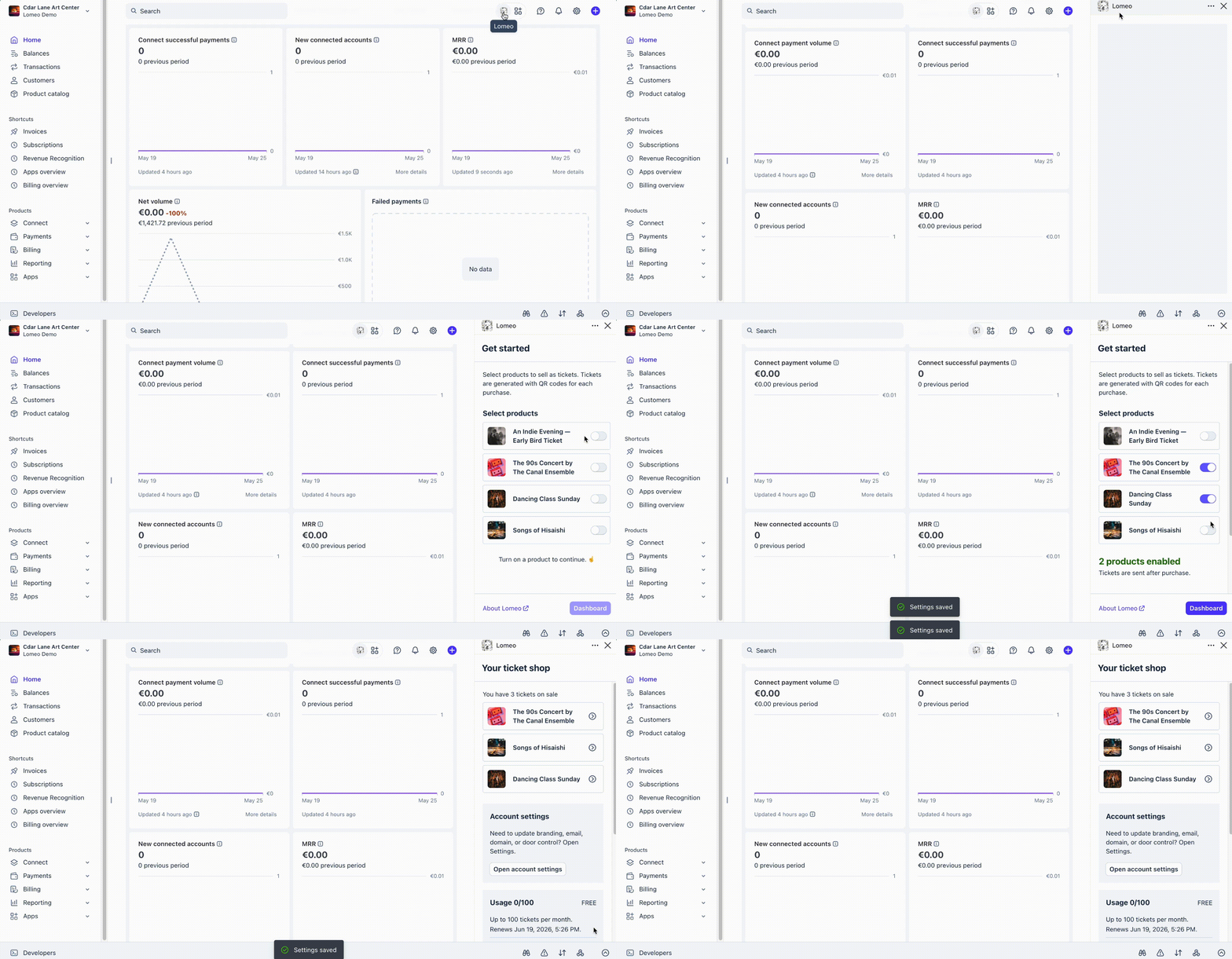
Install Lomeo and mark your Stripe products as tickets. When someone pays via Stripe Checkout, Payment Links, or Invoicing, Lomeo instantly emails them a QR ticket. This works with your current checkout flow and no-cost orders.


Also, match your branding. Send from your own domain, use your logo and colors, and customize the message your attendees receive.

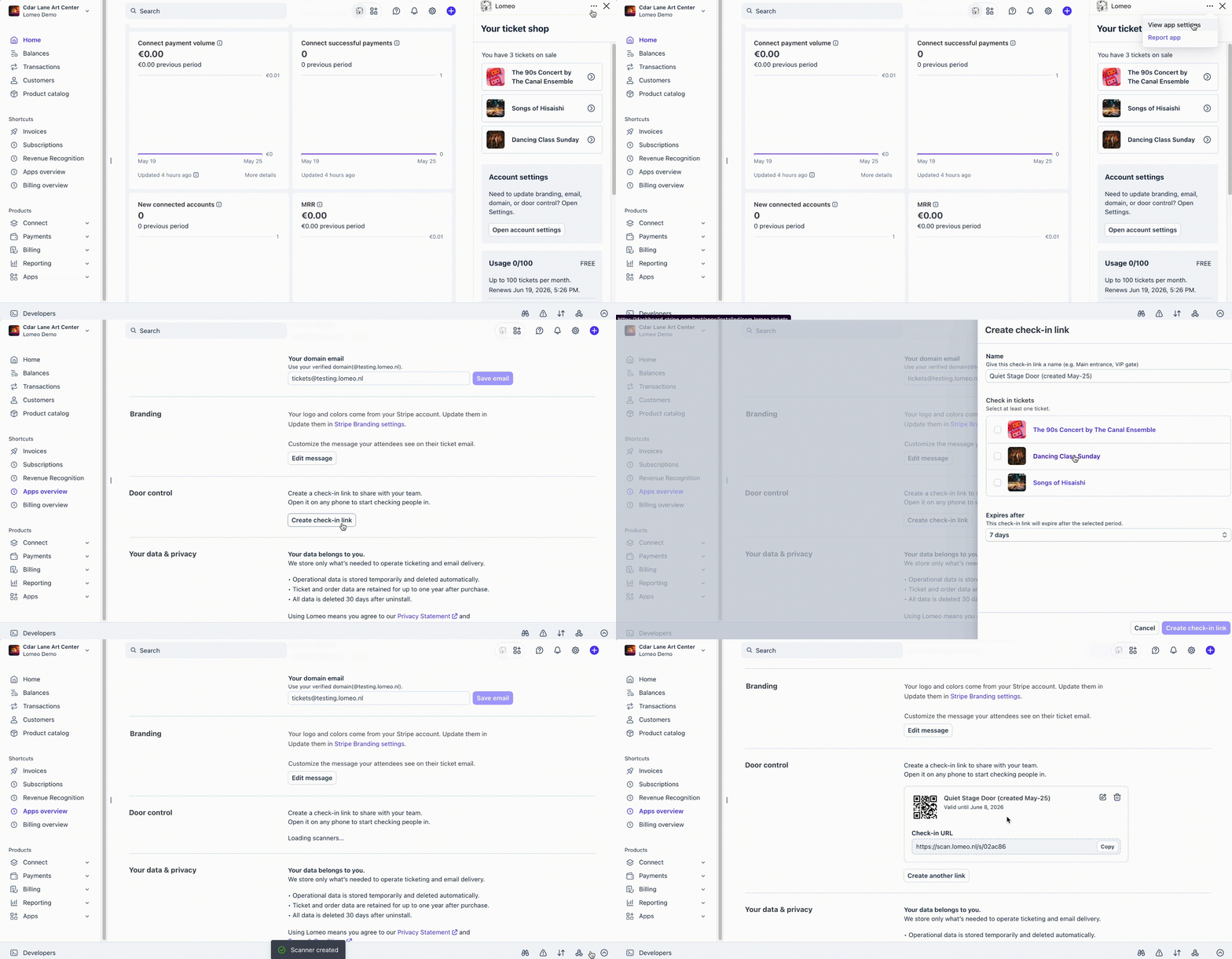
Create a check-in link and share it with your door team in seconds. No app or setup required. They simply open it on any smartphone and start scanning QR codes to check guests in as they arrive at the door.
Turns Stripe into your event ticketing tool. Revenue lands directly in your account, no middle layer.
Listens to your Stripe orders and delivers tickets instantly, the moment a purchase is made.
Generates a check-in link for your door team, ready to scan and check in guests.
Embed the ticket shop on your site, or share it as a standalone hosted page.
Send ticket confirmations from your own domain, fully on-brand.
Matches your Stripe account branding, from checkout through to ticket delivery.
Edit your confirmation emails to match your brand's tone and style.
View and filter your sales data, and export full ticket details as a CSV file.
Place a test order and see how Lomeo works. The embedded cart below creates a real Stripe Checkout session, so you can experience the entire checkout flow just as your customers would.
<!-- Embedded HTML code -->
<div class="lomeo" data-token="b56898212fab"></div>
<script src="https://cart.lomeo.nl/embed.js"></script>
You don’t have to embed a cart to use Lomeo. If you’re familiar with CSS and want more advanced customization, we’ve prepared a guide to help you style the embedded cart to match your website.
Got any feedback or ideas for us? We’d love to hear your thoughts. Your feedback helps us make Lomeo a little better every day. Feel free to reach out at [email protected].
The Lomeo Stripe app is a lightweight ticketing app for event organizers to manage ticket sales and door check-in directly from the Stripe Dashboard. Mark Stripe products as tickets and automatically issue QR code tickets to buyers upon successful checkout.
Lomeo works on top of Stripe, so a Stripe account is required. Setting one up is free and only takes a few minutes.
Most ticketing platforms charge a per-ticket fee — sometimes as much as 20% of the ticket price. We think there are better ways, especially for small, low-cost neighborhood events. Lomeo keeps it simple with a reasonable flat monthly fee, and up to 100 tickets per month are always free.
✓ Free under 100 tickets/month
✓ All features on every plan
✓ Cancel or downgrade anytime
Every plan includes the same features. Paid plans just unlock more monthly tickets, at a fair price that helps keep Lomeo running for everyone. 🙌
Lomeo doesn't create a separate login. We use your Stripe account to identify you and track your monthly ticket usage. Subscriptions are managed in your Stripe dashboard under Lomeo Settings → Subscription. Subscription is only available on a Stripe Live account (not Test or Sandbox).
Starting a plan or upgrading takes effect immediately, and you'll be charged right away. You can cancel anytime. Your current plan stays active until the end of the billing period, when the downgrade takes effect.
The golden age of event organizers has arrived. (In a convertible, apparently.)